
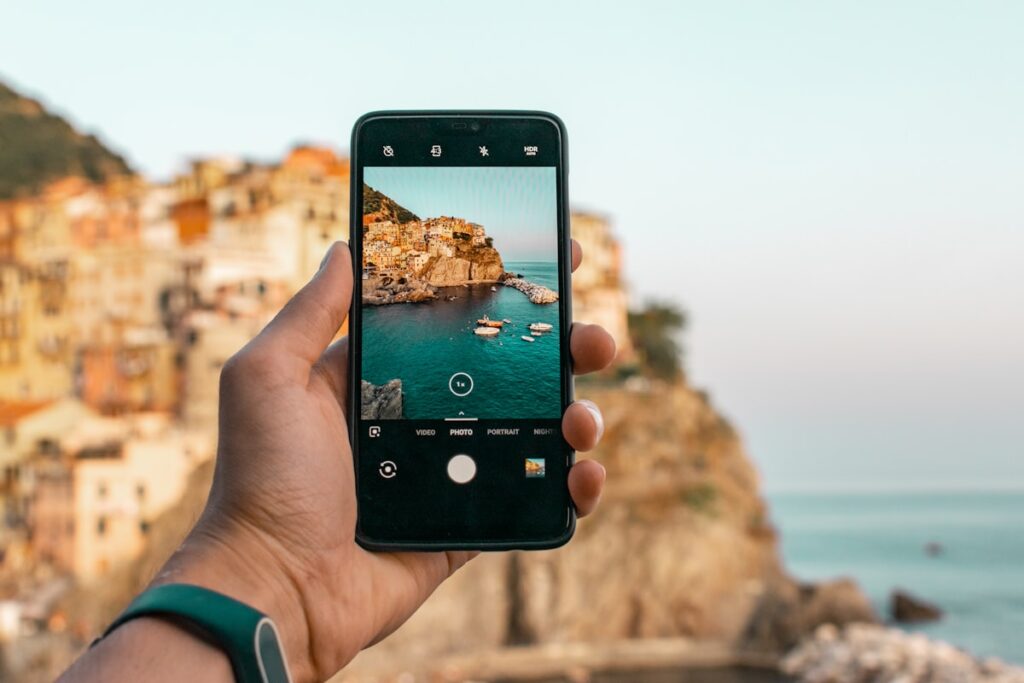
Your Phone Is Your Best Travel Tool
Budget travel in 2026 runs on apps. The right combination of free tools can slash your accommodation costs, eliminate unnecessary fees, find you free campsites in the middle of nowhere, and surface flight deals you’d never stumble across on your own. You don’t need all of them — but the ones on this list earn their place on every trip. Here are the 10 must-haves for any budget traveler.
1. Google Flights
Free | iOS & Android
The best free flight search tool available, and it’s not close. Google Flights gives you a price calendar view that shows the cheapest days to fly across an entire month — no more guessing whether Tuesday is actually cheaper than Saturday (it usually is). The “Explore” feature is especially powerful: enter your home airport and leave the destination blank to see a map of everywhere you can fly, sorted by price. It’s how you find out that a flight to Bozeman, Montana costs less than a flight to your nearest big city.
Set up price tracking on any route and Google will email you when fares drop. The filters let you sort by number of stops, airlines, departure time, and more. Use it on desktop for the best experience, but the app works great for quick checks on the go.
2. Hopper
Free | iOS & Android
Hopper uses AI to analyze billions of flight prices and predict whether fares on your route will go up or down — and it’s surprisingly accurate. The “Watch” feature monitors your route and sends you a push notification the moment prices hit a low point. Instead of refreshing flight prices every day and second-guessing yourself, Hopper tells you when to pull the trigger.
It also has a hotel and car rental search, and occasionally offers “Price Freeze” — you pay a small fee to lock in a fare for a few days while you finalize your plans. Most useful for trips you’re planning 4–12 weeks out, when price volatility is highest.
3. GasBuddy
Free | iOS & Android
If you’re road tripping, GasBuddy is non-negotiable. It crowdsources real-time gas prices from drivers across the country, so you can always find the cheapest station near you or along your route. Gas prices vary wildly — sometimes by $0.40–$0.60 per gallon within just a few miles, especially near state borders and highways. On a 1,500-mile road trip, consistently using cheaper stations can save you $30–$60 in gas alone.
Pro tip: the GasBuddy card (a free debit card you link to your bank account) saves you an additional $0.25 per gallon at participating stations — no fees, no catch.
4. iOverlander
Free | iOS & Android
iOverlander is a crowd-sourced map of free and cheap overnight spots — dispersed campsites, BLM land, national forest camping areas, truck stops, Walmart parking lots, and more. Every pin includes user-submitted notes about road conditions, noise levels, cell service, and how recently the spot was visited. It’s the most comprehensive free camping database available and works offline once you’ve downloaded the region you need.
Pair it with FreeCampsites.net (also available as an app) for the widest possible coverage. Between the two, you’ll rarely need to pay for a campsite in rural America.
5. Roadtrippers
Free (Plus plan $29.99/year) | iOS & Android
Roadtrippers is the best app for planning an actual road trip route. Enter your start and end points and it suggests points of interest, quirky roadside attractions, campgrounds, restaurants, and scenic detours along the way. The free version covers the basics well; the Plus plan unlocks offline maps and unlimited waypoints.
It’s especially useful for discovering things you’d never Google specifically — the world’s largest ball of twine, a hidden waterfall two miles off the highway, a legendary local diner that’s been open since 1952. Budget travel is about the experience, not just the cost, and Roadtrippers helps you find the good stuff.
6. Hostelworld
Free | iOS & Android
The go-to app for finding and booking hostels worldwide, including the growing number of quality hostels across the US. Filter by price, rating, neighborhood, and amenities. Dorm beds at well-reviewed US hostels typically run $25–$40 per night — a fraction of what a hotel costs in the same city.
Don’t dismiss hostels if you’ve never stayed in one. Modern US hostels often have private rooms available, free breakfast, well-equipped kitchens, and a social atmosphere that makes it easy to meet other travelers. The reviews on Hostelworld are detailed and honest — read the most recent ones before booking.
7. Too Good To Go
Free | iOS & Android
Too Good To Go connects you with restaurants, bakeries, and cafés that have leftover food at the end of the day that they’d otherwise throw away. You buy a “Surprise Bag” for $4–$6 and pick it up in a short window — usually late afternoon or evening. The bags are worth $15–$25 in food value. You don’t know exactly what you’ll get, but it’s always fresh and usually a great deal.
Available in most US cities of any size. It’s not reliable enough to be your only food strategy, but as a dinner supplement it’s hard to beat. Check the app as you arrive in a new city to see what’s available that evening.
8. Rome2rio
Free | iOS & Android
Rome2rio answers the question “how do I get from A to B?” for every possible combination of transportation — flights, trains, buses, ferries, rideshares, and driving. Enter any two locations and it shows you every option with estimated travel times and costs. Invaluable when you’re trying to figure out whether it’s cheaper to rent a car, take Greyhound, or book a regional flight between two cities on your itinerary.
9. Splitwise
Free | iOS & Android
Traveling with other people and splitting costs is one of the most effective ways to cut expenses — but tracking who paid for what is a headache without the right tool. Splitwise lets your group log every shared expense and automatically calculates who owes what at the end. Gas, groceries, campsites, Airbnbs — it handles all of it cleanly. Free for the core features most travelers need.
10. Maps.me (Offline Maps)
Free | iOS & Android
Google Maps offline mode is good, but Maps.me goes further — you can download entire countries or regions for offline use and get full navigation, points of interest, and hiking trails without any data connection. Essential in rural areas, national parks, and anywhere you’re driving through dead zones. Download your region before you leave WiFi range and you’re set.
Bonus: Maps.me includes hiking trails and backcountry routes that Google Maps often misses, making it doubly useful for outdoor-focused road trips.
Start With These Three
If you’re new to budget travel apps and don’t want to download all ten at once, start with Google Flights, GasBuddy (if you’re road tripping), and iOverlander. Those three alone cover your biggest costs — transportation and accommodation — and will immediately change how you plan and spend on your next trip.
Photo credit: Dominik Dancs on Unsplash